Sorted without sorting.
Just send moj what comes up: an appointment, the shopping, a bill. On WhatsApp or in the app. It lands sorted where the whole family finds it.
Leave your address and we will tell you when moj launches.
One mail to confirm, one at launch, none after that.
Coming for iPhoneAndroid
Send it where you already write.
moj has a number of its own on WhatsApp. We never put it into your own chats, so it reads nothing there. Everyone in the family writes to that number on their own. The app takes the same thing, typed or spoken.
Tomatoes, milk on the list8:02
Tomatoes and milk on the shopping listReply with “undo” to take that back.
0:07Voice note, 7 seconds
Appointment: Dentist for Mo, Thu 15:00
Bill: €62.40, due 30 September
One sentence, and it is in the right place.
moj works out what you meant and files it at once. When it is not sure it asks once, in a single sentence. You never get a form.
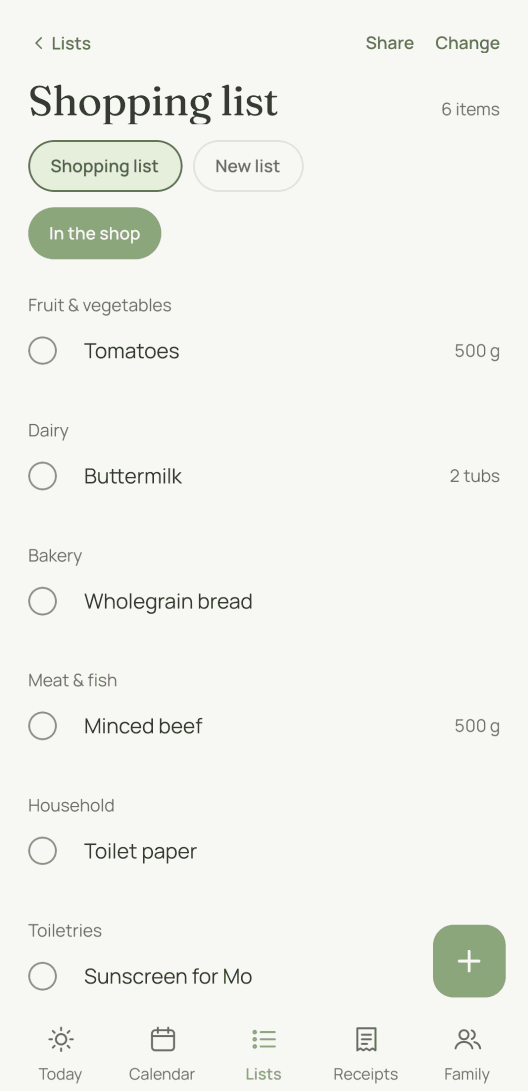
Tomatoes, milk and toilet roll on the list
Shopping list
Remind me about the dentist on Thursday at three
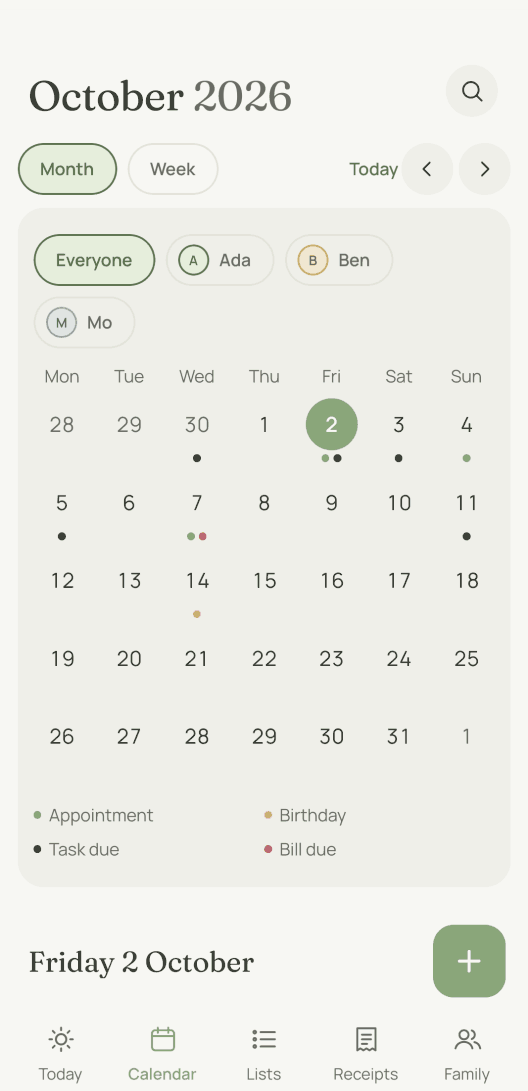
Calendar
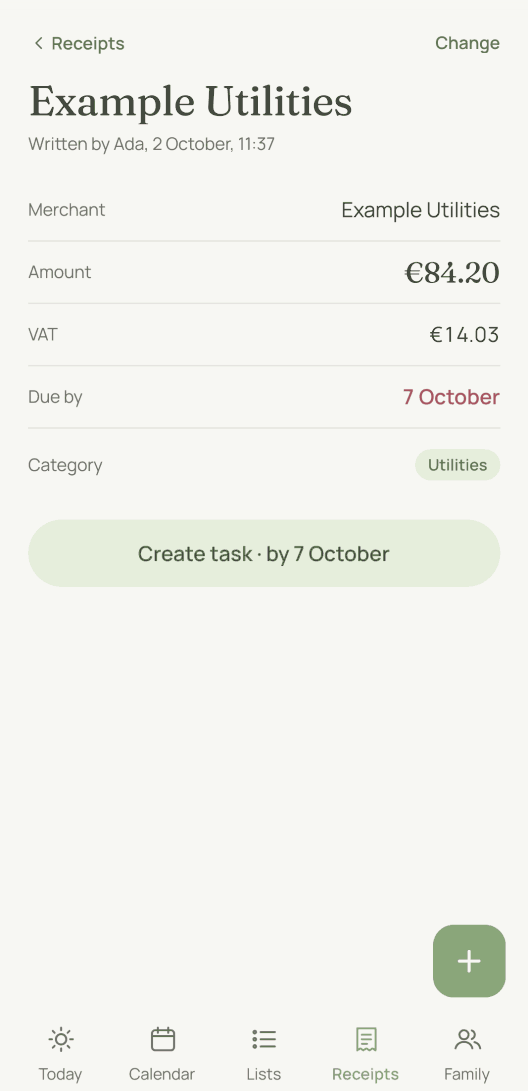
A photo of the plumber’s bill
Receipts
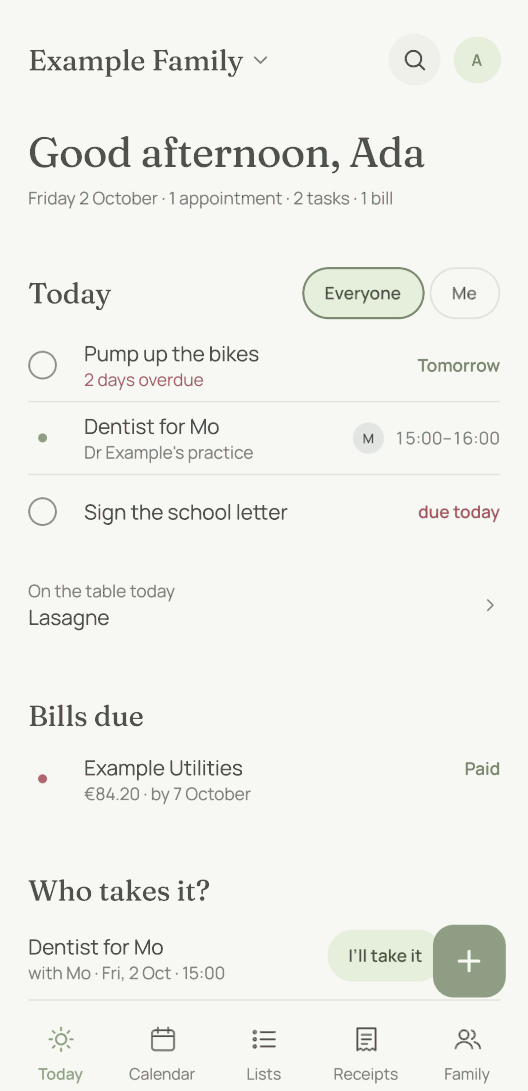
Five views, and nothing to search for in any of them.
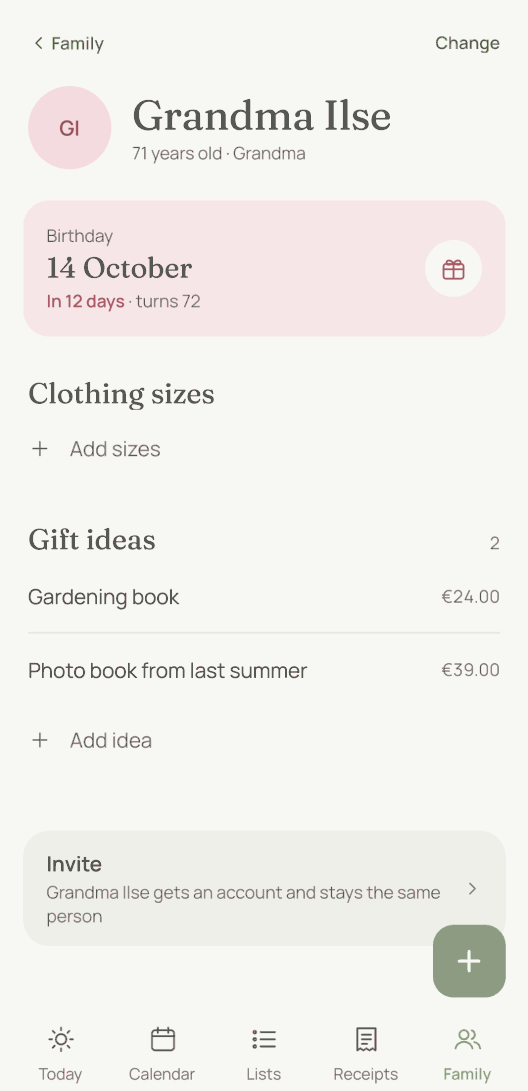
The family planner app is the tidy view of everything you sent. You never have to type anything in here.
What happens to your data.
moj is a private project with no advertising. We earn nothing from your data. So we have no reason to collect any.
- Database
- Neon, Frankfurt, encrypted
- Photos and PDFs
- private storage, EU only
- Analytics services
- none
- Error reports
- none
- Advertising
- none
- Deleting
- any time in the app, export first

There is one person behind it.
I built moj as a father of three. The typing was too tedious for me, and I lost track of everything because of it. It came about on the side, for my own family, and we use it there every day.
Who builds moj, and why →Answered briefly
What is moj?
moj is a family planner app for iPhone and Android: a shared calendar, shopping lists, tasks and receipts for everyone in the family. Instead of typing things in, you send them. By WhatsApp, spoken or as a photo. moj files them where they belong.
Which family planner app is the best?
It depends on what actually goes wrong in your household. Most of them are good calendars — if somebody at your place enters everything anyway, that is plenty. We built moj for the other case. The one where nobody ever gets a quiet minute to enter anything. You send it the way you would write it anyway, and it lands where it belongs.
What does moj cost?
moj costs nothing. It is a private project with no advertising. We do not sell your data, and we do not pass it on.
Do I need WhatsApp for this?
No. You can type or speak the same thing in the app. WhatsApp is only the fastest way in, because that is where you are already writing.
Is there a moj widget?
Yes, on iPhone and on Android. There is a list to tick off, the shopping list, a clock with the appointments of the next twelve hours and a button to speak. On iPhone there are widgets for the Lock Screen as well, for instance with the next appointment.
Does the whole family have to join?
No, you can use moj on your own. Anyone who joins later sees everything the family keeps in moj from that day on.
Who sees what I send?
Only the people you invited yourselves. We have no public content, and no strangers get in.
What if moj gets something wrong?
In the app, undo sits next to every entry. In WhatsApp you reply “undo”. When moj is not sure it asks first.
Can children take part?
Yes, with limited access: lists, tasks and calendar. No receipts, no settings. A child needs no email address: their phone is set up with a code.
Where does our data sit?
The database in Frankfurt, photos and PDFs in private storage inside the EU. Only the sending of our emails runs through a service in the United States, which the privacy notice names.
Is moj in the App Store yet?
Not yet. Join the waitlist and we will tell you as soon as it is out.
Want to try moj early?
Leave your email address and we will get back to you as soon as you can start.
Free, no advertising, nothing passed on